Skip to content
Dots and Dashes artwork and Procreate brush previews
Artist Brushes for Procreate

Dots and DashesBrush pack for Procreate

16 brushes in this pack

Download in the app

Opens the App Store · iPad & iPhone
Some content requires in-app purchases.

Meet your next set of tools

About Dots and Dashes

Add charm and character to your designs with our Dots and Dashes brush set. This set includes a selection of decorative brushes, such as dotted and dashed lines, hearts, and floral motifs. Perfect for creating whimsical illustrations, invitations, or digital artwork that captivates the imagination.


Every brush, a new possibility.

16 brushes · Full pack preview
Simple Dots brush stroke preview from Dots and Dashes for Procreate
Simple Dots
Intense Dots brush stroke preview from Dots and Dashes for Procreate
Intense Dots
Random Dots brush stroke preview from Dots and Dashes for Procreate
Random Dots
Dots & Circles brush stroke preview from Dots and Dashes for Procreate
Dots & Circles
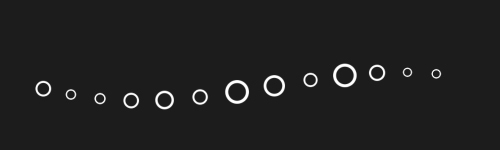
Random Circles brush stroke preview from Dots and Dashes for Procreate
Random Circles
Intense Circles brush stroke preview from Dots and Dashes for Procreate
Intense Circles
Overlapping Circles brush stroke preview from Dots and Dashes for Procreate
Overlapping Circles
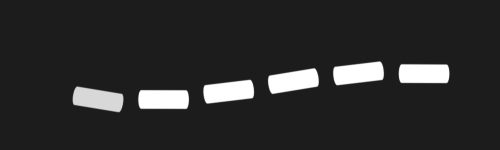
Classic Dashes brush stroke preview from Dots and Dashes for Procreate
Classic Dashes
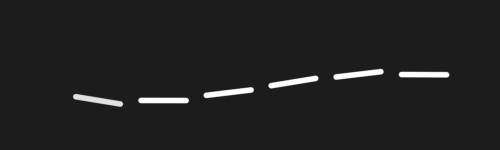
Thin Dashes brush stroke preview from Dots and Dashes for Procreate
Thin Dashes
Decorative Hearts brush stroke preview from Dots and Dashes for Procreate
Decorative Hearts
Random Hearts brush stroke preview from Dots and Dashes for Procreate
Random Hearts
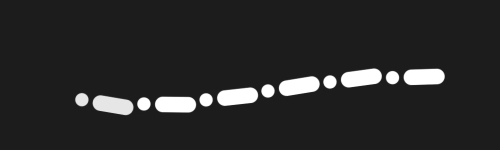
Dots & Dashes brush stroke preview from Dots and Dashes for Procreate
Dots & Dashes
Dash Rhapsody brush stroke preview from Dots and Dashes for Procreate
Dash Rhapsody
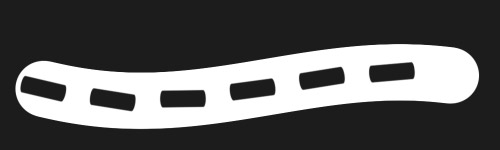
Dotted Ribbon brush stroke preview from Dots and Dashes for Procreate
Dotted Ribbon
Dashed Ribbon brush stroke preview from Dots and Dashes for Procreate
Dashed Ribbon
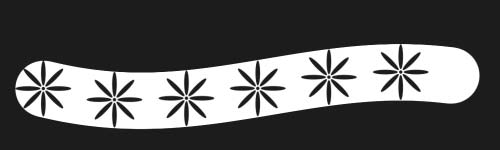
Flowered Ribbon brush stroke preview from Dots and Dashes for Procreate
Flowered Ribbon
From inspiration to your canvas

How to get Dots and Dashes

Use Artist Brushes to bring your next set of tools into Procreate.

  1. 01

    Get Artist Brushes

    Download Artist Brushes for Procreate from the App Store on your iPad or iPhone.

  2. 02

    Find your pack

    Look for “Dots and Dashes” in the app and open the pack. Some content requires in-app purchases.

  3. 03

    Import and start drawing

    Use the app’s download and export options to open the brushes in Procreate on iPad or Procreate Pocket on iPhone. Procreate is required and sold separately.

Make it part of your toolkit.

Find Dots and Dashes in Artist Brushes for Procreate.
Download on the App Store
Keep exploring

More brushes you might love